Appearance
Onboarding Process
Install the Bot
Download the bot zip file here (updated at 2024-12-17)
Install the Zip file to Teams as per below instruction.
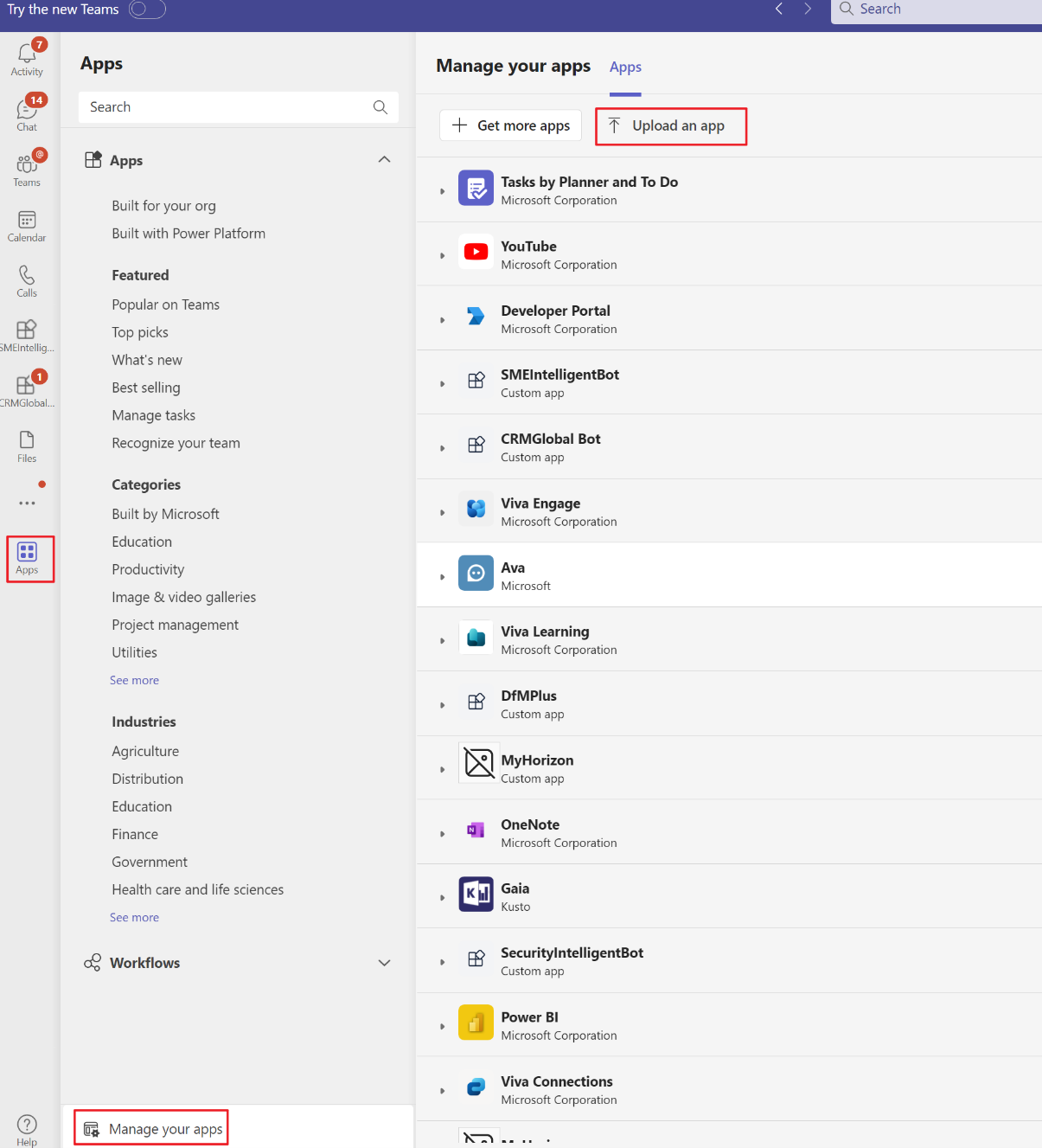
Choose the type you want to install as. E.g. Click
Addto onboard as personal account, and click theAdd to a chatandAdd to a teamcorresponding to groupChat onboarding and channel onboarding.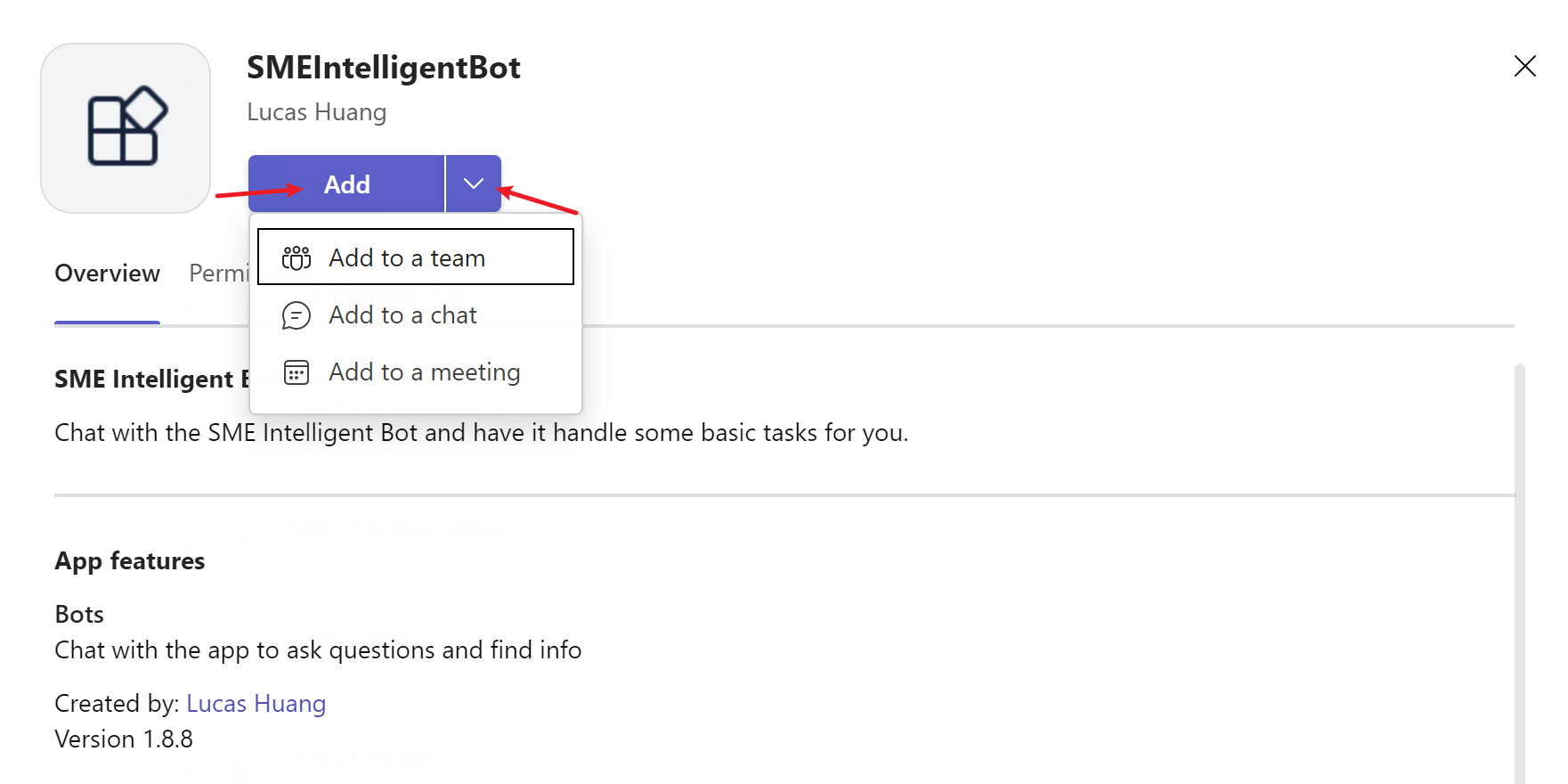
Team Creation
TIP
If you are new to Bot and haven't got a Team in Bot yet, you need to create a Team in Bot first. (Please go to next section if you already know your Team name.)
- Make sure you are a Technical Advisor or Manager, the command will verify your job title and currently only those roles can create a Team in Bot.
- After installing the Bot, please use command
create team with name <Your-Team-Name>. Please note that the Team name is case-sensitive. You will be automatically linked to the Team withTArole.
Add personal account to your Team
If you are already in a Team with TA role, you can add engineers to your team (regardless of if they are registered in Bot or not.).
Please use command register <alias1>, <alias2> to team: <Team-Name>, e.g. register lucashuang1, lucashuang2, lucashuang3 to team: Lucas Test Team, to link those engineers with your Team. 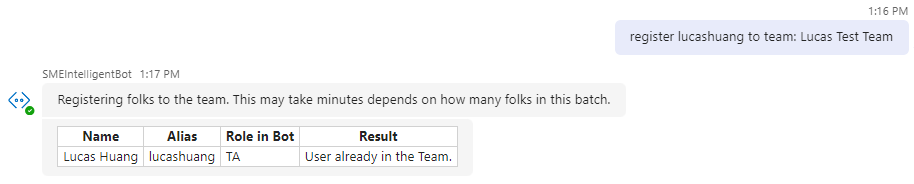
Add chat group to your Team
This is referring to groupChat user account. After installing the bot to the chat group, you can link this chat group to a Team.
In the chat group, please use command register to team: <you-team-name>, e.g. @SMEIntelligentBot register to team: Lucas Test Team, to link the chat group with your Team.
TIP
This registration only targets at the chat group itself, regardless how many people inside this chat group.
After onboarded, the default role for the chat group account is
TA, as a group chat is designed to receive all Team related information.Each team can only have 1 chat group.
Add channel to your Team
This is referring to channel user account. After installing the bot to a channel, you can link this channel to a Team.
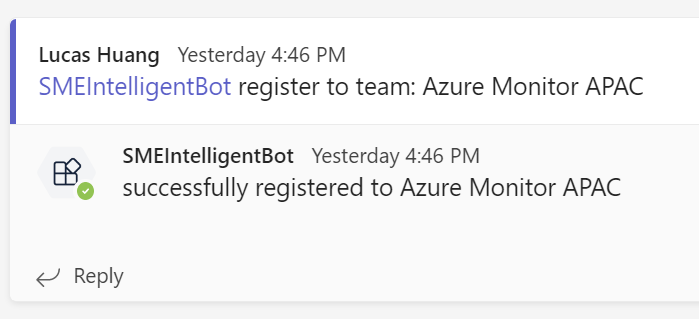
In the channel, Please use command register to team: <you-team-name>, e.g. @SMEIntelligentBot register to team: Lucas Test Team, to link the channel with a Team.
TIP
This registration only targets at the channel itself, regardless how many people inside this channel.
When onboarded, the default role for the channel account is
TA, as a channel is designed to receive all Team related information.Each team can only have 1 chat group.